Google Play Store PC
Gives you access to any type of Apk Android App on your Windows PC.

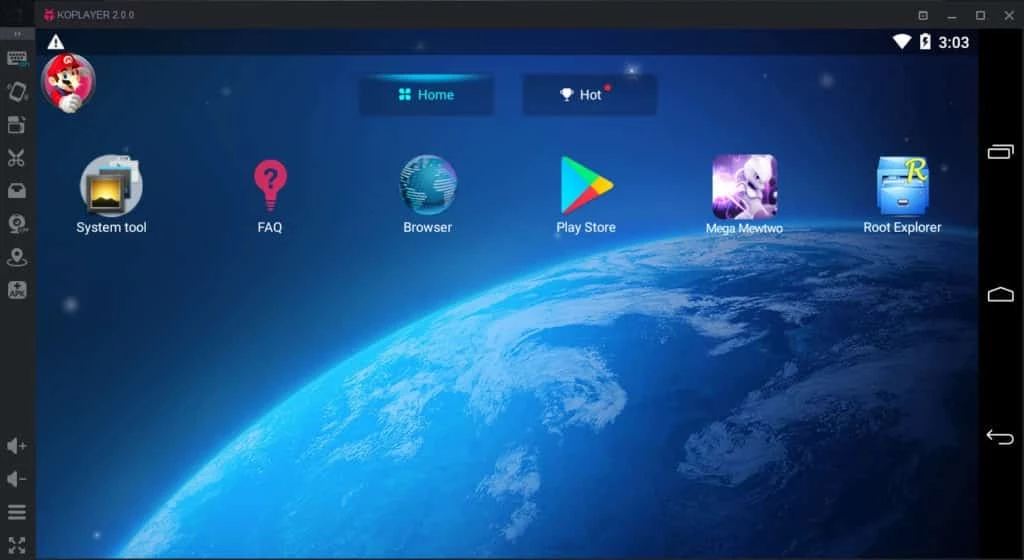

KoPlayer is a powerful Android emulator that allows users to run their favorite Android apps and games on a Windows PC. It supports x86 architecture to avail the latest kernel technology to maintain the performance, stability, and compatibility. The users can use it for bridging the gap between mobile and computer while using the virtual environment for simulating the Android device.
KoPlayer has the Google Play Store by default, and allows you to quickly access your favorite apps and games, specifically one of the best solutions to play your favorite Android games on your computer with the convenience of keyboard and mouse.
KoPlayer is popular software to offer free services for emulating your favorite Android games and apps on your computer. The software offers more than one million apps for your ease to manage your favorite content on the big screen without any hassle of low storage.
The Android emulator within a simple-to-use interface offers the Google Play Store by default, and enables users to avail of seamless compatibility with multiple devices. The software within the intuitive interface offers a lag-free and stable user experience while incorporating the computer peripherals.
Navigate to official platform to download the installer, or click the “Download” button from the page, and complete the installation process while following the on-screen instructions. You can configure the basic settings, including location, display resolution, language, and so on. Launch the app, use your Google account to sign in, access to Google Play, and start installing apps.
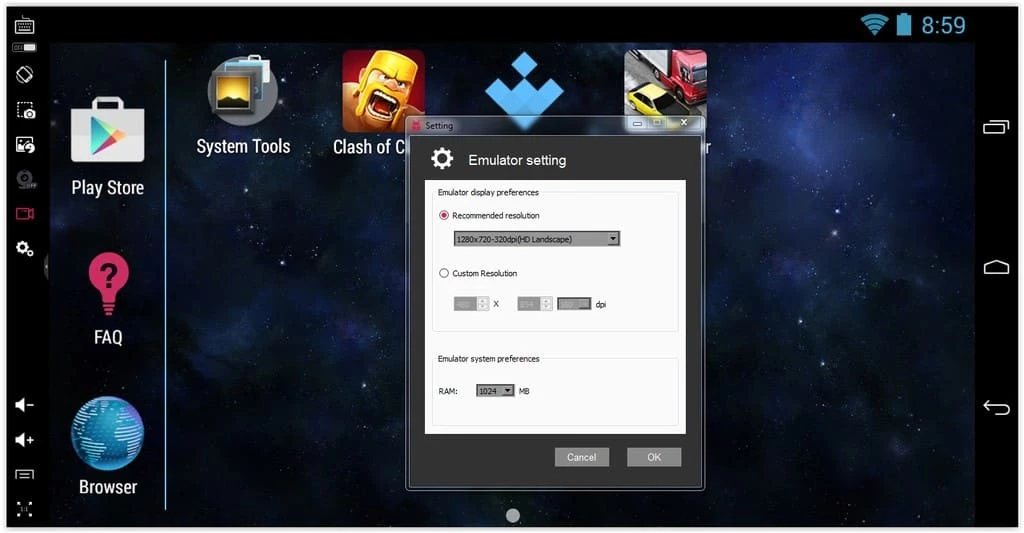
The app offers an intuitive interface quite similar to other alternative utilities while offering three standard buttons, such as Home, Recent, and Back. It also offers a toolbar that offers features such as volume control, screen capture, the Boss key, resolution, and so on. In addition, you will find simple and quick navigation as you navigate to the Google Play Store and install your desired apps. You can enhance your gaming and productivity experience while customizing keyboard keys. Seamlessly transfer files with the drag & drop feature from the computer to the emulator. Click on the video record button to record the emulator sessions.
The software supports one of the latest technologies, that is the x86 kernel mode, to offer the best user experience, and emulate your favorite Android games. It offers awesome services for Windows users and helps to create a nice environment while offering innovative capabilities.
KoPlayer has an in-built Google Play Store, so it requires using your Gmail username and password to sign in. It will allow you to download your desired apps and games with a single touch. However, you are capable of installing the apps or games manually. For this purpose, you have to import the files to the emulator using the drag & drop option, and start downloading.
As the software has an in-built Google Play Store, so, you are capable of getting the innovative Android apps and games to your computer. So, it is quite easy for desktop operating systems to manage Android content more reliably while offering superior hardware. In addition, the full-screen mode and a real controller enable users to play their favorite games more reliably. The Android-based app marketplace is available on the software that is embedded with a lot of the latest apps, and is being updated regularly.
You will find enhanced and fast performance with the addition of multiple innovative features that offer improved graphics, higher performance, decreased lag, and a smooth gaming experience. It is also possible to configure Video RAM capacity, which allows you to select resolutions as well. In addition, run multiple applications simultaneously, capture and record your screen, and also upload your downloaded videos on any social media platform right from the emulator.
The software offers awesome services, specifically for online gamers to play their favorite Android games on their big screen. It offers key mapping, custom control, capturing, and recording capabilities. It offers built-in screen capture and record functionality with one click, and shares with others. It also supports keyboard, mouse, or gamepad as well to use as controllers while playing games.
The software also enables users to configure the controls according to their preferences, such as gamepad, keyboard, camera, microphone, and other devices, for enhancing their gameplay. Use the Key Mapping feature for mapping the swipe while using keyboard or mouse commands. It also offers a Boss key to use the software from anywhere while hiding it from your screen.
Pros
Cons

Gives you access to any type of Apk Android App on your Windows PC.

PC App Store download, install, and keeps up-to-date your PC programs
free emulator to play Android apps on your pc with extra performance, reliability

Bijoy Bayanno the most powerful software to write Bengali language on PC
Media Creation Tool is upgrading and installing Windows 10 bootable installed disks.
Rufus easily change your USB Flash to a bootable ISO flash drives.